Remode /
Blog / Find outfit from screenshot
Your camera roll is full of saved outfits. Here's how to turn them into something you can buy.
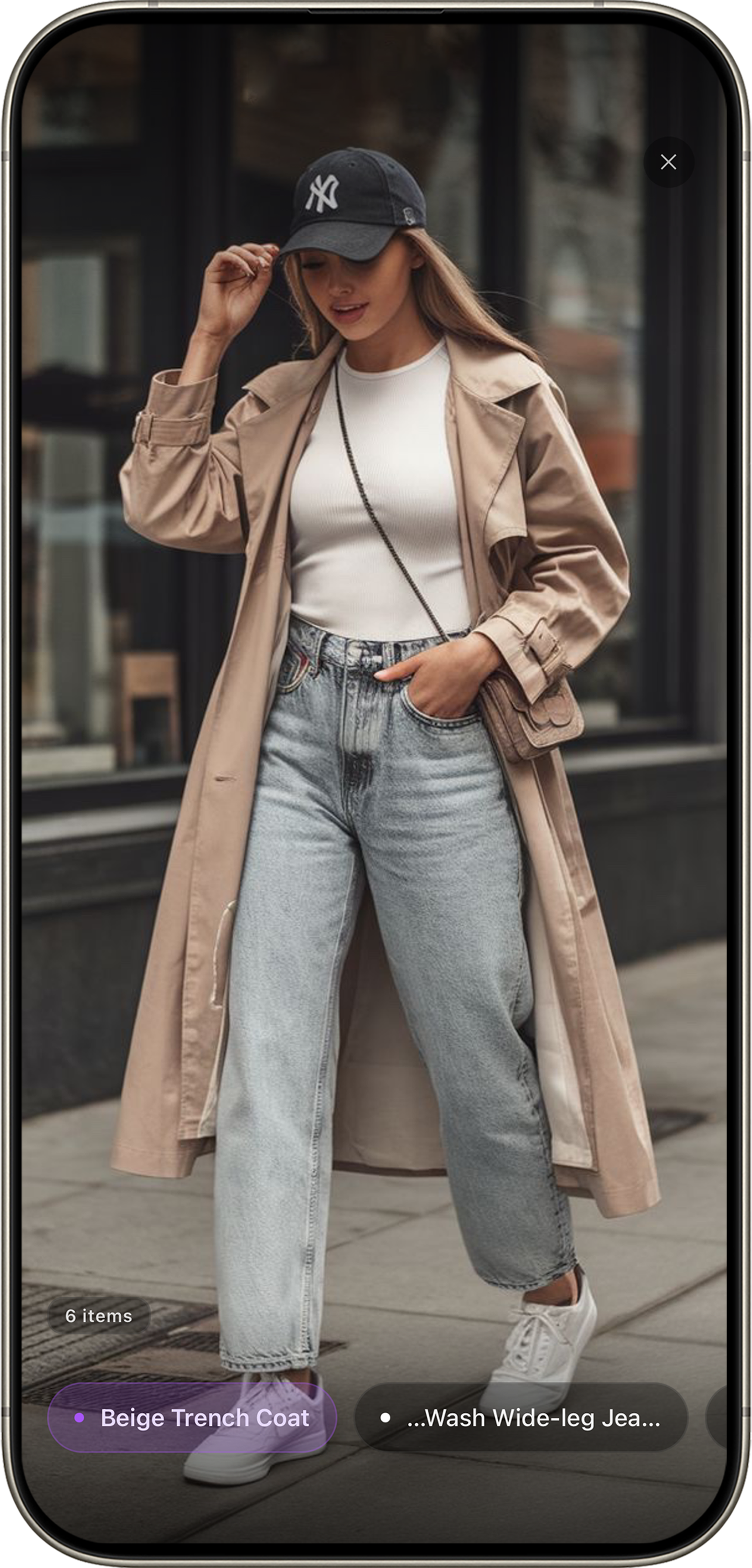
Upload a screenshot. Remode detects every clothing item in the frame.
Screenshots from Instagram stories, TikTok videos, Pinterest boards, WhatsApp messages, even Netflix shows. You saved them because you wanted to buy something. But most just sit in your camera roll, because the next step — actually finding the item — is hard.
It doesn't have to be.
Why text search fails for screenshots
The instinct is to describe what you see: "dark green oversized wool coat with belt." But text descriptions are vague. Your "green" is someone else's olive. Your "oversized" returns puffer jackets instead of wool coats. The screenshot already contains everything you need — you just need a tool that reads images, not text.
How to do it with Remode
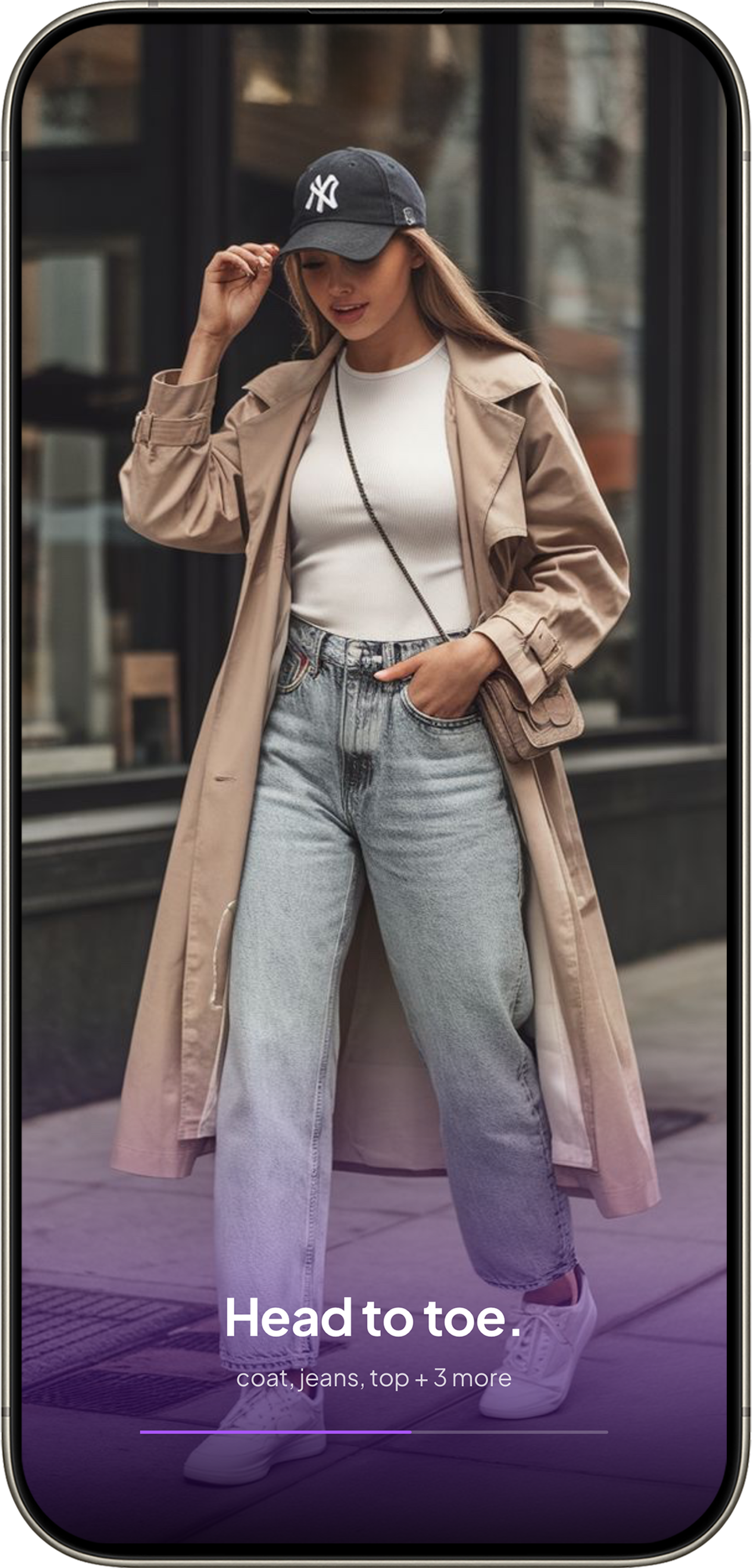
1
Upload
Select the screenshot from your camera roll. No cropping needed.
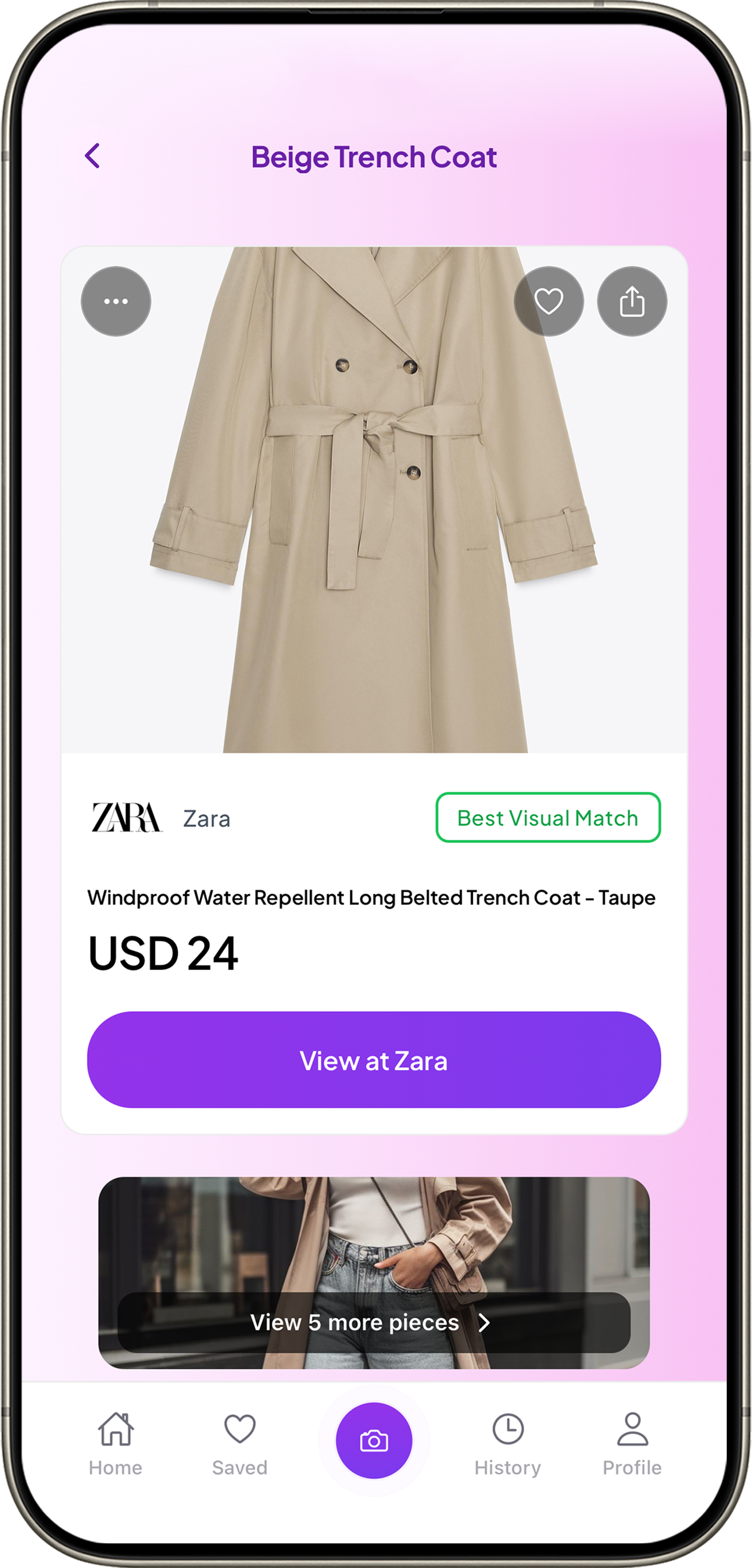
2
Match
See matches ranked by confidence — Exact, Visual, or Similar.
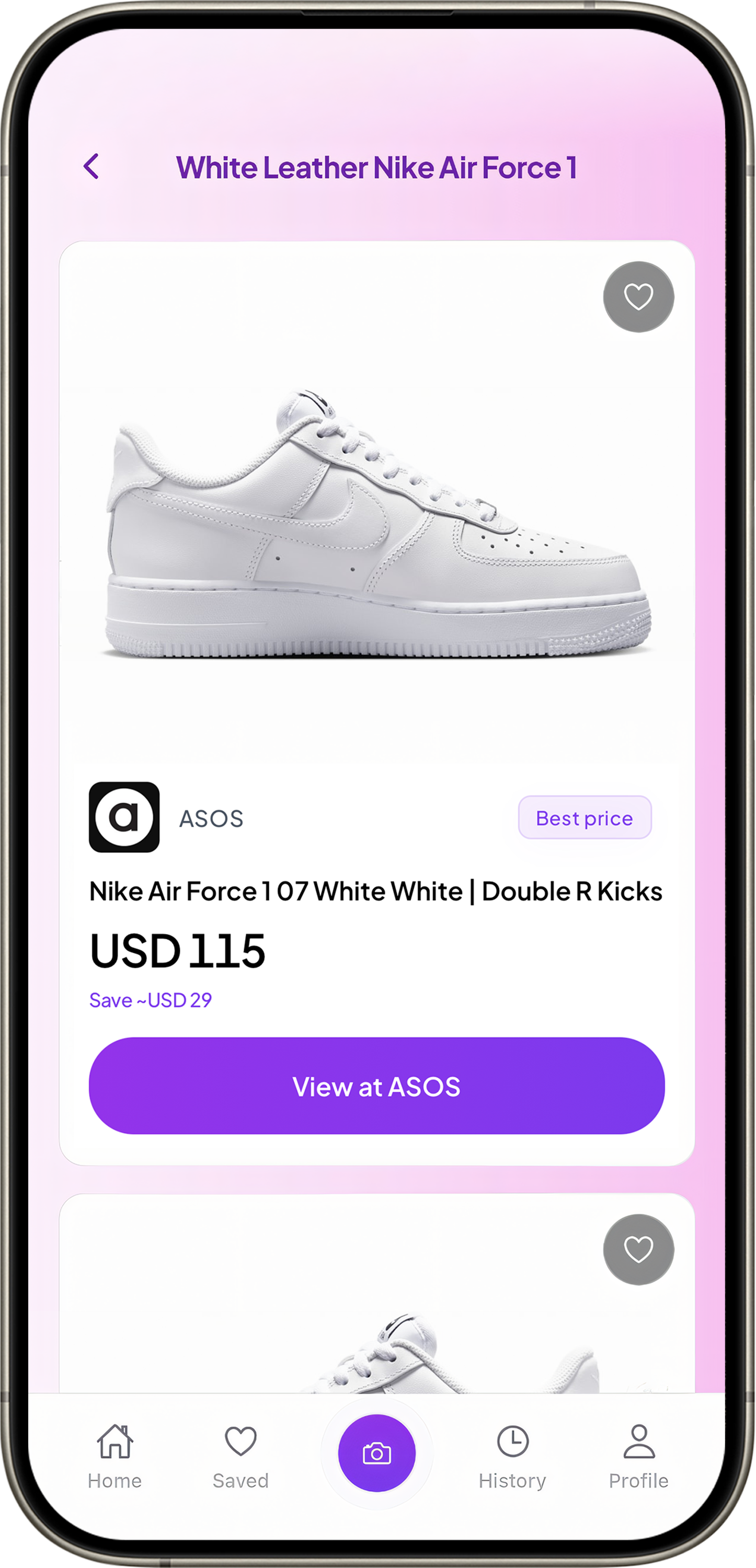
3
Buy
Compare stores and prices. Pick the best deal.
Stop saving, start buying
The gap between "I love that" and "I bought it" used to be a maze of tabs and failed text searches. The screenshot you already saved is the only input you need.
Try it with a screenshot from your camera roll.
Download Remode free on iOS — works instantly, no account needed.