There is no verified universal winner here. Start with Beni for a resale-first search, Phia for shopping savings, Google Lens for broad visual lookup, Daydream for conversational fashion discovery, or Lyst for shopping lists and alerts. Remode brings piece selection, labeled matches and ongoing Hunts into a fashion-focused journey. Use your own photo to decide which service earns another visit.
Sources checked 6 September 2026. We publish Remode and have a commercial interest in it. Competitor features below are documented claims, not independently measured outcomes.
Remode — explore pieces, compare, then keep looking
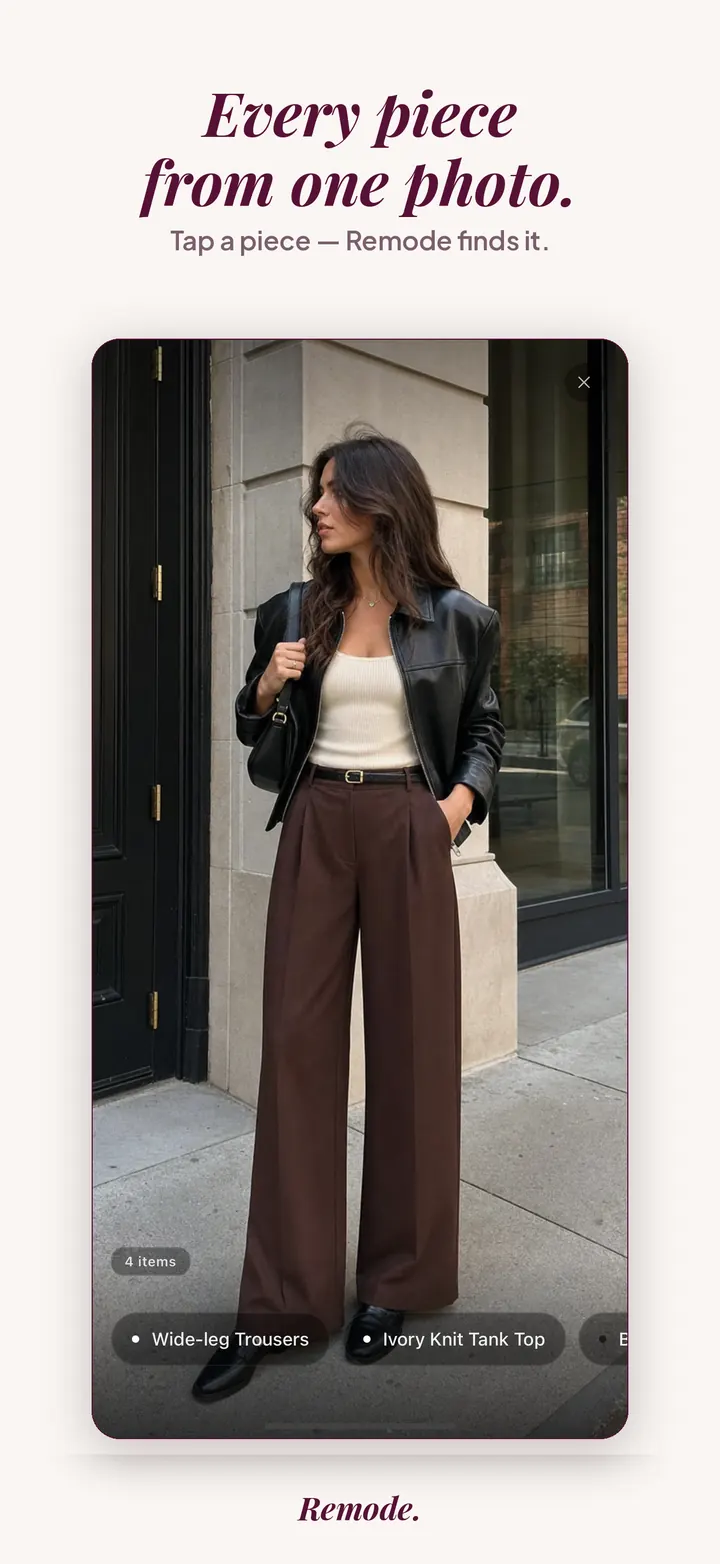
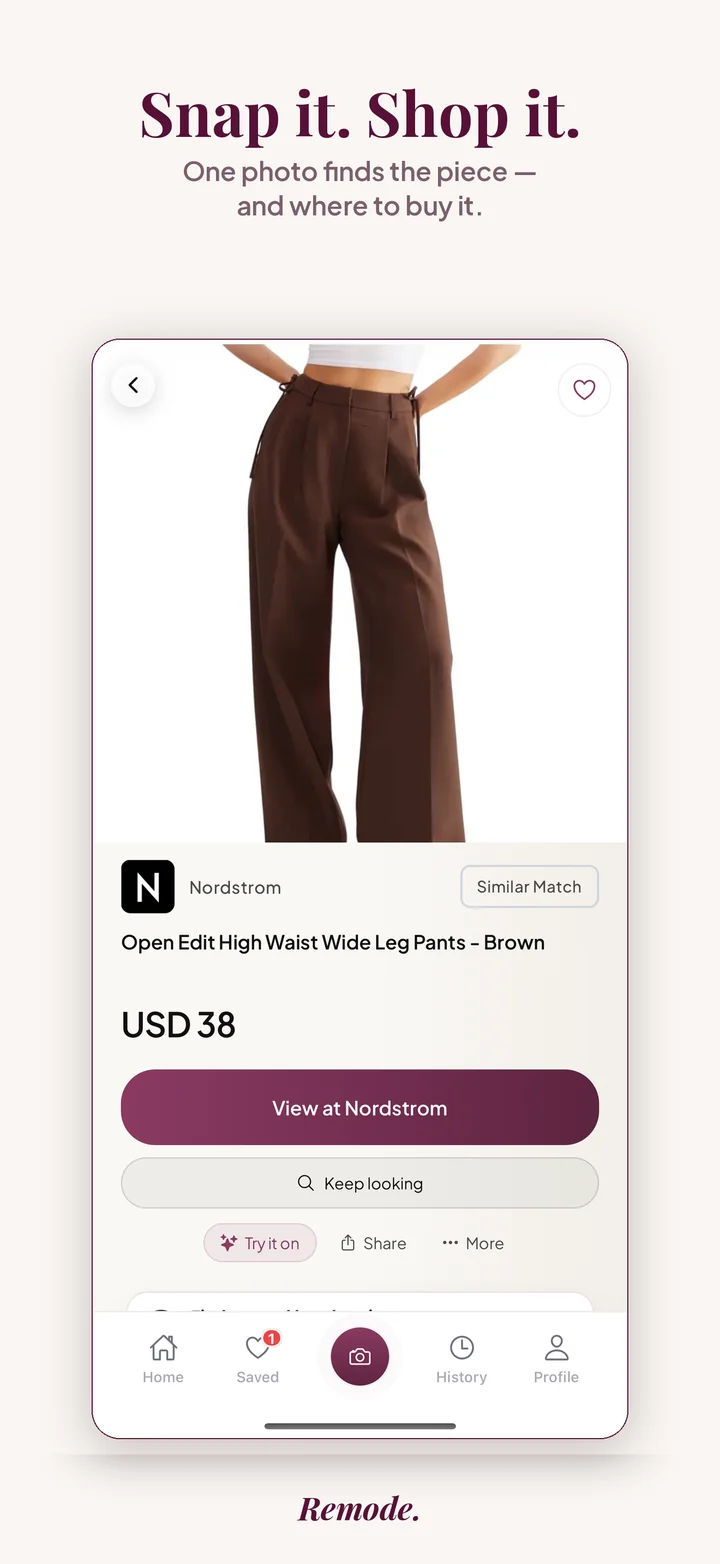
Remode detects fashion pieces in outfit photos and screenshots, lets you choose a detected piece, and labels matches as exact, best visual or similar. Compare offers and second-hand options when found. Save an item in the iPhone app for an ongoing Hunt.
Start with the browser trial to judge your own photo. A similar result is not the same product; a Hunt may report no verified change. Browser results do not transfer automatically into a fresh app installation. Try-on is included while your free searches last; Remode Hunt adds more.
Beni puts resale first. Its website offers search, photo and screenshot search, and saved-search alerts for new second-hand listings. It also demonstrates sharing an Instagram find into the app.
Consider Beni when buying used is your starting preference. Its site claims coverage across more than 40 resale sites; that is a vendor claim, not a coverage measurement from this comparison.
Phia emphasizes finding better prices and cheaper alternatives, alongside coupons and gift-card rewards. Its website also describes saving finds in collections and receiving price-drop alerts.
Consider Phia when you already have a shopping item or retailer page and want to investigate savings. We reviewed its public website, not the accuracy of its price comparisons or every feature in the installed app.
Google Lens accepts photos and screenshots and can surface visual matches, product details, retailer prices and places to buy. Google also offers price tracking in supported markets; it is inaccurate to describe Google as having no shopping comparison or alerts.
Product recognition and feature availability depend on the image, device and country. Google lists price tracking in the US, Canada, Australia, Japan and India, with rollout differences. Check the current price-tracking help for your location.
Daydream — explore fashion by photo or conversation
Daydream presents a photo upload and conversational search directly on its visual-search page. Its promise is fashion discovery by image or chat across a large brand catalogue.
Consider it for exploring a look and refining what you want in words. The page claims more than 10,000 brands; we have not independently measured catalogue size, exact-match success or regional coverage.
Lyst documents wishlists, followed brands, size preferences, price-drop and restock alerts. Its help centre also describes Lyst Lens for finding similar items from an uploaded photo.
Lyst says Lens is rolling out and may not be available to everyone yet. Check your app before choosing it specifically for photo search. An established shopping catalogue and alerts do not by themselves prove a better match to your screenshot.
ChatGPT supports visual product browsing, side-by-side comparisons, image inspiration and conversational refinement. These built-in shopping capabilities are separate from connecting the Remode app in ChatGPT.
Consider it when you want to discuss a budget or trade-off before deciding. Check the retailer for final price and availability. This guide does not measure whether ChatGPT will suggest or open Remode for an unbranded request.
Why a published comparison can only take you so far
Choose a tool for the shopping job you actually have. This is a source-based feature comparison by Remode, not a head-to-head accuracy ranking.
A vendor website can establish what a company advertises, but cannot establish exact-match accuracy, complete retailer coverage, or how quickly an alert arrives. All of these need dated tests in the same region. Compare the result against the retailer page and distinguish a promised capability from an observed outcome.
Running a fair test with three photos
Choose three photos before opening any app and use the same three everywhere; the first is a clean product image from a retailer page, your control.
The second is a real outfit screenshot with several pieces in view; decide beforehand which single garment you are testing for.
The third is a hard case you genuinely want: a mirror selfie, an older season, a brand you suspect is small.
Run all three through each app on the same day, from the same place, uncropped; at remode.app/try/ the 3 free searches without an account cover one pass.
Record the same things each time: garment found, product or lookalike stated, live page at a store that ships to you, price visible before the tap.
Repeat the outfit screenshot cropped to the garment, then try to save the piece in each app or have the app keep checking it, and look for a second-hand option.
What to look for in the results, in order of importance
Honesty first. The telling difference is not whether a tool produces something for every photo but whether it says when it is unsure. Remode labels each result exact, best visual match or similar and shows exact only when it is confident it is the same product; note how each other tool signals that distinction, if it does.
Then the link: a live listing at a store that ships to your region, with the price in view, or it is not a result for a shopper. Then the piece: could you choose the coat on the outfit screenshot, or did the tool answer for the whole frame. Last, the follow-through: can you save the item and hear when it drops or returns, and does second-hand appear at all.
Keeping the test fair
Test from your own region; store coverage is where tools differ for shoppers in Europe and Switzerland, and a US VPN describes someone else's shopping.
Give every tool the identical file; re-screenshotting from another app adds compression.
Judge the failure too: a clearly labeled similar on the hard photo is good behavior, a confident lookalike is not.
Repeat the hard photo later; listings come and go, and a Hunt keeps looking in the meantime (looking is free until Remode finds you something real).
When another tool may fit better
There is no verified universal winner here. Start with Beni for a resale-first search, Phia for shopping savings, Google Lens for broad visual lookup, Daydream for conversational fashion discovery, or Lyst for shopping lists and alerts. Remode brings piece selection, labeled matches and ongoing Hunts into a fashion-focused journey. Use your own photo to decide which service earns another visit.
Photo search, alerts and resale are shared capabilities. Region, account requirements and current availability matter. Three photos can expose a specific failure or help you choose a personal workflow; they cannot prove that one product is best for everyone.
Common questions
Which clothes-finder app is best?
The best choice depends on your photo, country and shopping goal. This guide compares documented features and does not establish an accuracy winner. Try the same photo in more than one service and inspect the actual retailer listings.
Are photo search and price alerts unique to Remode?
No. Beni, Google, Lyst and other shopping services offer overlapping capabilities, with different availability and scope. Compare the whole experience and the usefulness of the result rather than choosing by a single feature.
Can I try Remode before installing?
Yes. The browser trial offers three guest photo searches. Saved items and ongoing Hunts are available in the iPhone app. Browser results do not transfer automatically into a fresh installation; search the photo again in the app. Try-on is included while your free searches last; Remode Hunt adds more.
How do I check whether a result is the exact item?
Open the retailer listing and compare the brand, product name or code, colour, fabric and visible construction with your source. Check the size separately. Similar styling or an app confidence label alone cannot establish product identity. If the evidence is inconclusive, treat it as an alternative.
How do I compare prices fairly?
Compare the same variant and condition, in the same currency and region. Check shipping, duties where applicable, stock and the final retailer price. A used listing and a new item may both be useful choices, but the cheaper number alone is not proof of a saving on the same offer.
Related guides
More Remode guides for visual clothing search, screenshot search, and outfit shopping.