Capture the clearest frame
Pause when the item is visible and save a screenshot.
 Colette & CarrieFashion besties · by RemodeBack to chat
 Reels outfits
A single paused frame is enough to start. Remode helps turn video inspiration into shoppable clothing results.
Search in your browser. The app is available for iPhone.
Start with a photo
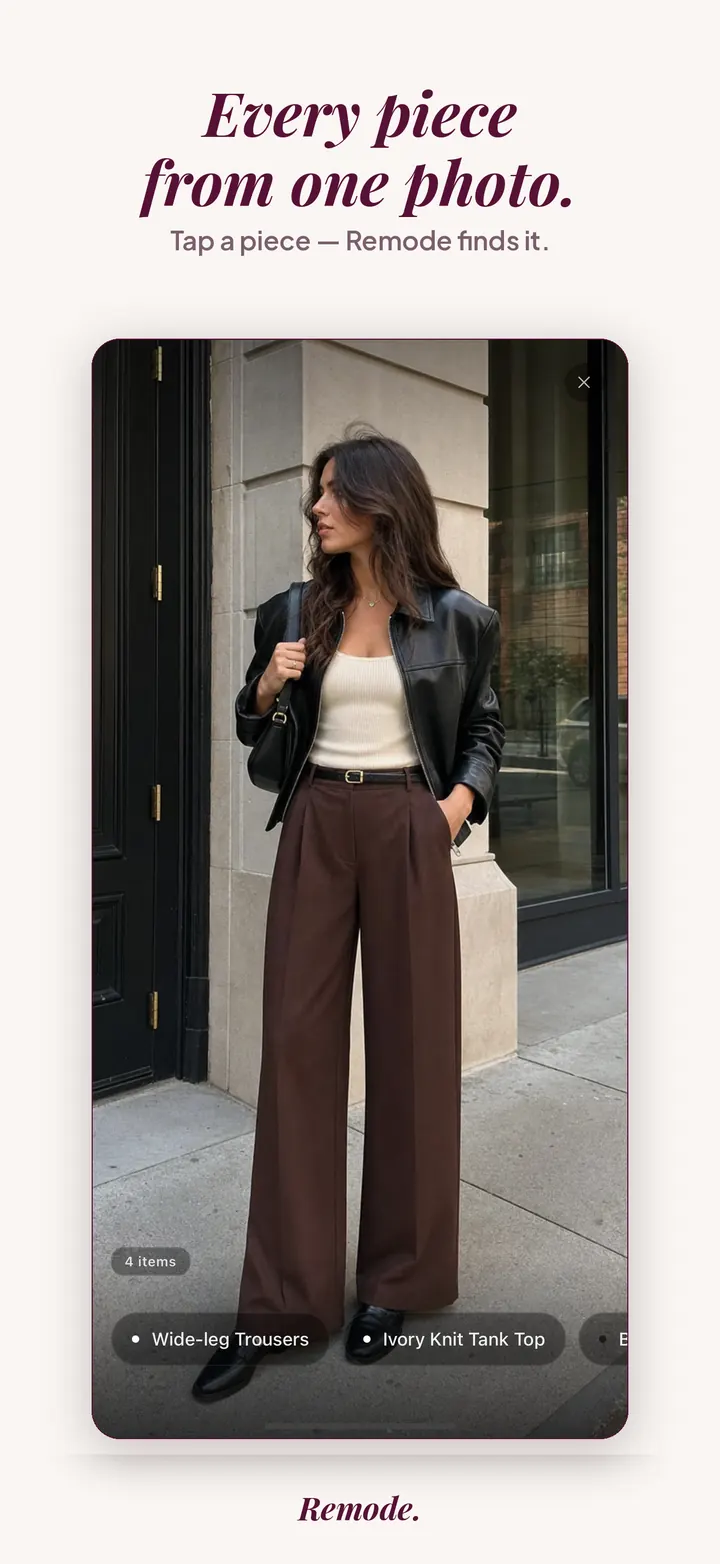
Find a similar piece
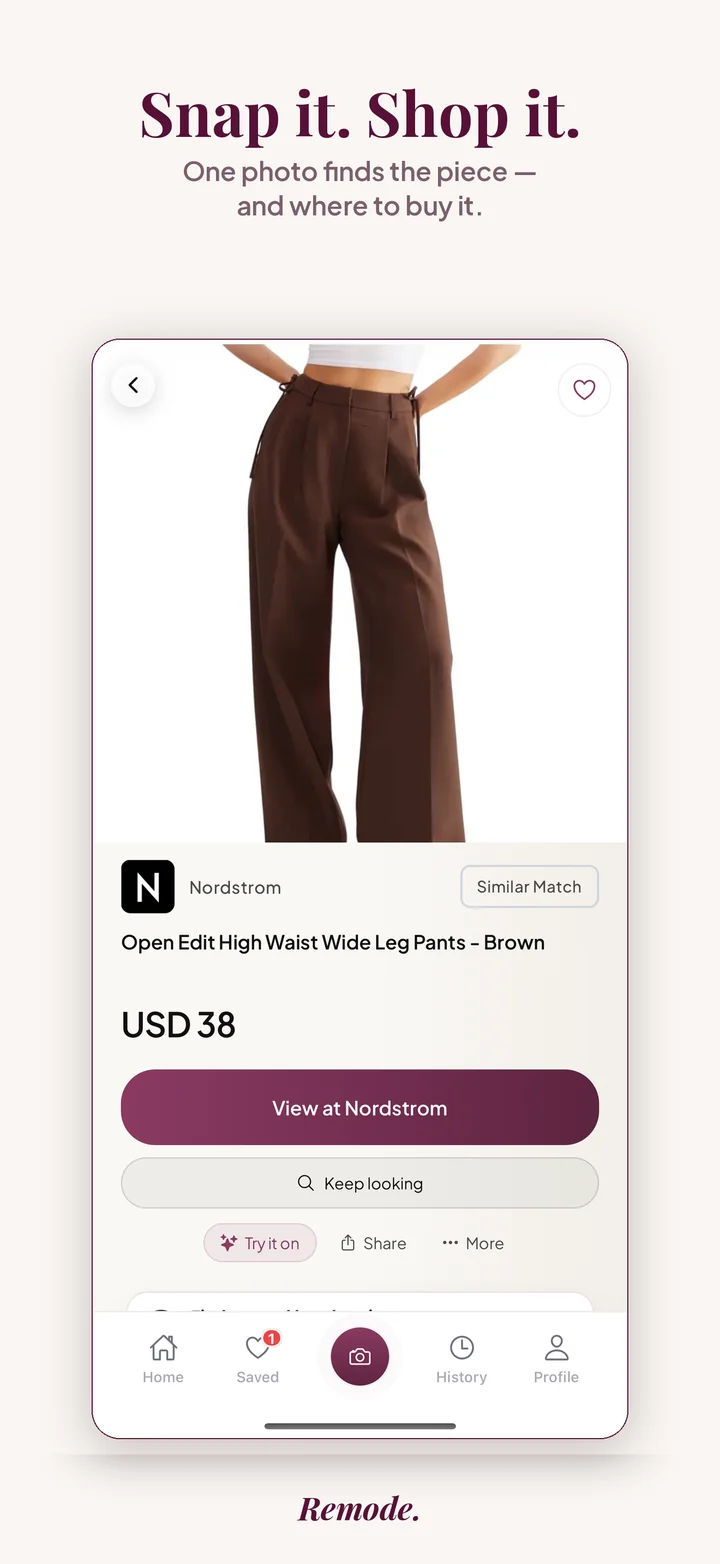
Actual app screens. This result is labeled Similar Match. Prices and availability can change.
The product is visible for a second, the caption is vague, and links are often missing. A screenshot gives you something stable to search.
Pause when the item is visible and save a screenshot.
Use the picker to focus on the garment, not the whole scene.
Compare stores, prices, alternatives, and second-hand options where available.
Remode is designed to make the pre-store decision clearer. These signals help you judge whether a result is worth opening.
Is it an exact match, a strong visual match, or a similar alternative?
Compare the listed price with the retailer, shipping, and current availability.
Check similar styles or second-hand when the original is expensive, sold out, or hard to source.
A Reel is built for motion, and motion works against a product search. The creator turns, walks toward the camera, flips the hem, and the frame you want lasts a fraction of a second. On top of that, Instagram lays its own interface across the vertical video: the caption, the audio title, the like counter and the profile name sit exactly where a skirt or a pair of shoes usually appears. Creators add text stickers of their own, often over the chest of a top or across a bag.
Vertical crops cause a second problem. A Reel shot on a phone shows the body from head to knee, so shoes are cut off, or from waist to floor, so the jacket is missing. Transitions add motion blur, ring lights flatten fabric texture, and heavy filters push colors toward warm or cool tones. When the Reel is a “get ready with me”, the finished outfit appears only in the final seconds, and that moment is where your screenshot has to come from.
Frames from Reels are softer than product photos, so the labels matter more than usual. Exact means Remode is confident it found the same product despite the compression; treat it as a strong lead, then verify the color in the store listing, since Reel filters shift tones. Best visual match is a near find without certainty, and with video it often lands on the right silhouette in a different fabric or a sibling style from the same brand. Similar gives you alternatives that share the shape and mood, useful when the creator’s piece was a gifted sample never sold at retail.
Compare more than the picture. Look at the retailer, the price and whether shipping to your region is listed, because Remode only routes to stores that ship to you. Where a second-hand listing appears, read its size and condition notes against what you saw worn on camera. A try-on on supported items can settle whether the cut suits you before you buy.
Some Reels never yield a purchasable result. Pieces that a creator sewed, thrifted or received as a one-off from a friend have no store listing anywhere. Fast-cut dance clips may not contain a single frame with the garment still. Drops teased before their release date have no product page yet; try again after the launch. When a search comes back with only similar results, that is Remode being honest about what exists to buy. For pieces you first saw in the Instagram feed rather than in Reels, read find an Instagram outfit; for the same problem on another platform, see find a TikTok outfit. The pillar guide at find clothes from a screenshot covers the general method.
Yes. Upload a screenshot from the Reel or short video.
No. If you can save a clear frame, you can use it as the image input.
Yes. Use the picker to select the garment you want.
Scrubbing is limited in Reels, so play the clip and pause as close as you can, then repeat until the frame lands. If the app keeps skipping past the moment, screen-record the Reel and pause the recording in Photos, where the scrubber lets you move through the video very finely.
They hurt when they cover the part that identifies the piece, such as a neckline or a logo. Crop them out where possible or choose a frame from before the sticker appears. Remode works with what remains visible in the image, so a partially covered sleeve still gives it something to go on.
Yes. Open the shared Reel, pause it on a clear frame and take a screenshot exactly as you would from the main feed. Where the Reel came from does not matter; Remode only sees the image you upload from your camera roll.
More Remode guides for visual clothing search, screenshot search, and outfit shopping.
Screenshot the Reel, upload it to Remode, and search the piece that caught your eye.

Remode is an independent app and is not affiliated with, endorsed by, or sponsored by Instagram.