Can a photo prove a jacket is vintage?
No. Remode can help locate resale or visually similar listings, but a style alone does not prove an era. Ask for garment labels, materials, measurements and provenance when age matters.
 Colette & CarrieFashion besties · by RemodeBack to chat
 Second-hand search
Upload the photo in Remode’s iPhone app and choose the coat, jacket or other piece you want pre-loved. Resale listings appear when found, with labels that keep a similar vintage style separate from a confirmed product match; the free browser search shows new matches.
Browser photo search, no account needed: new matches. Pre-loved options show up in the iPhone app.
Start with a photo
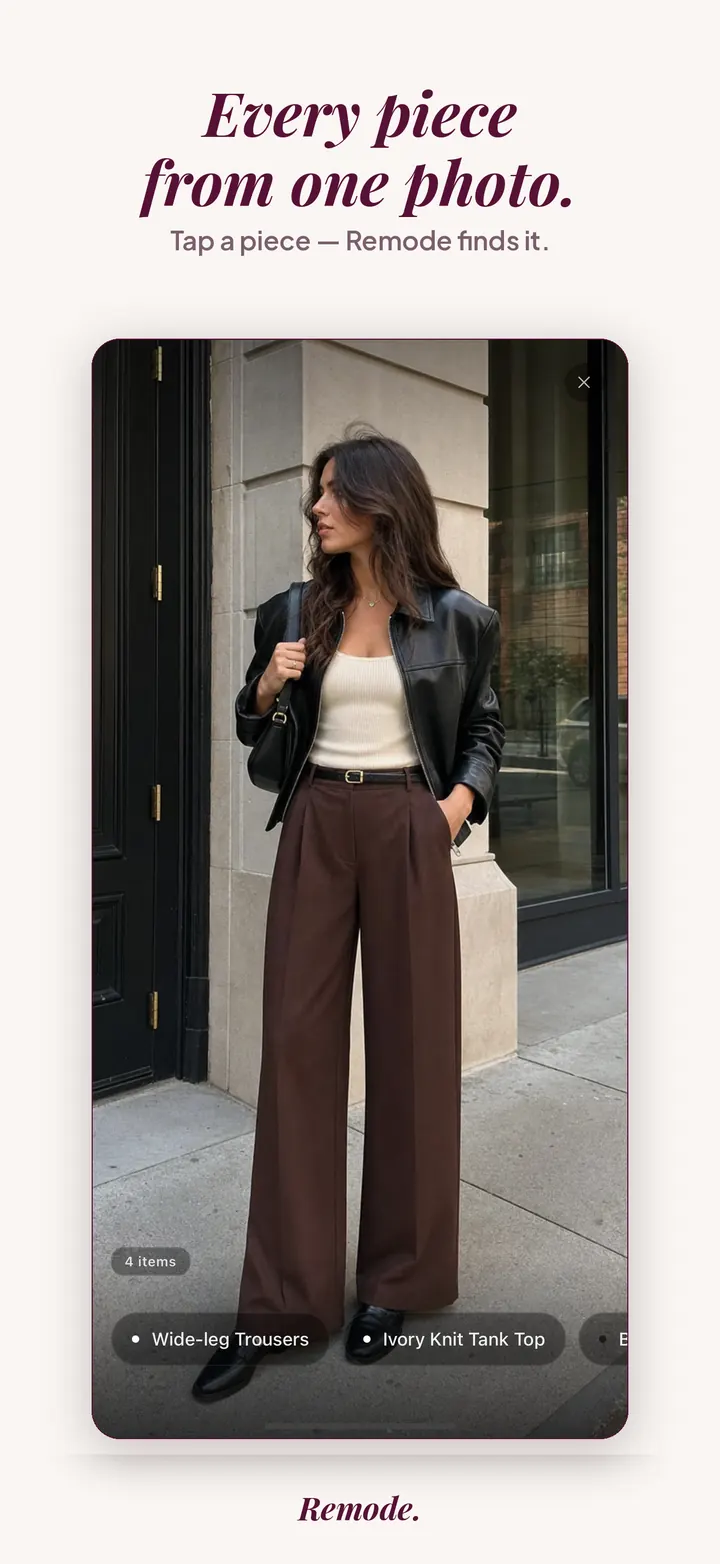
Find a similar piece
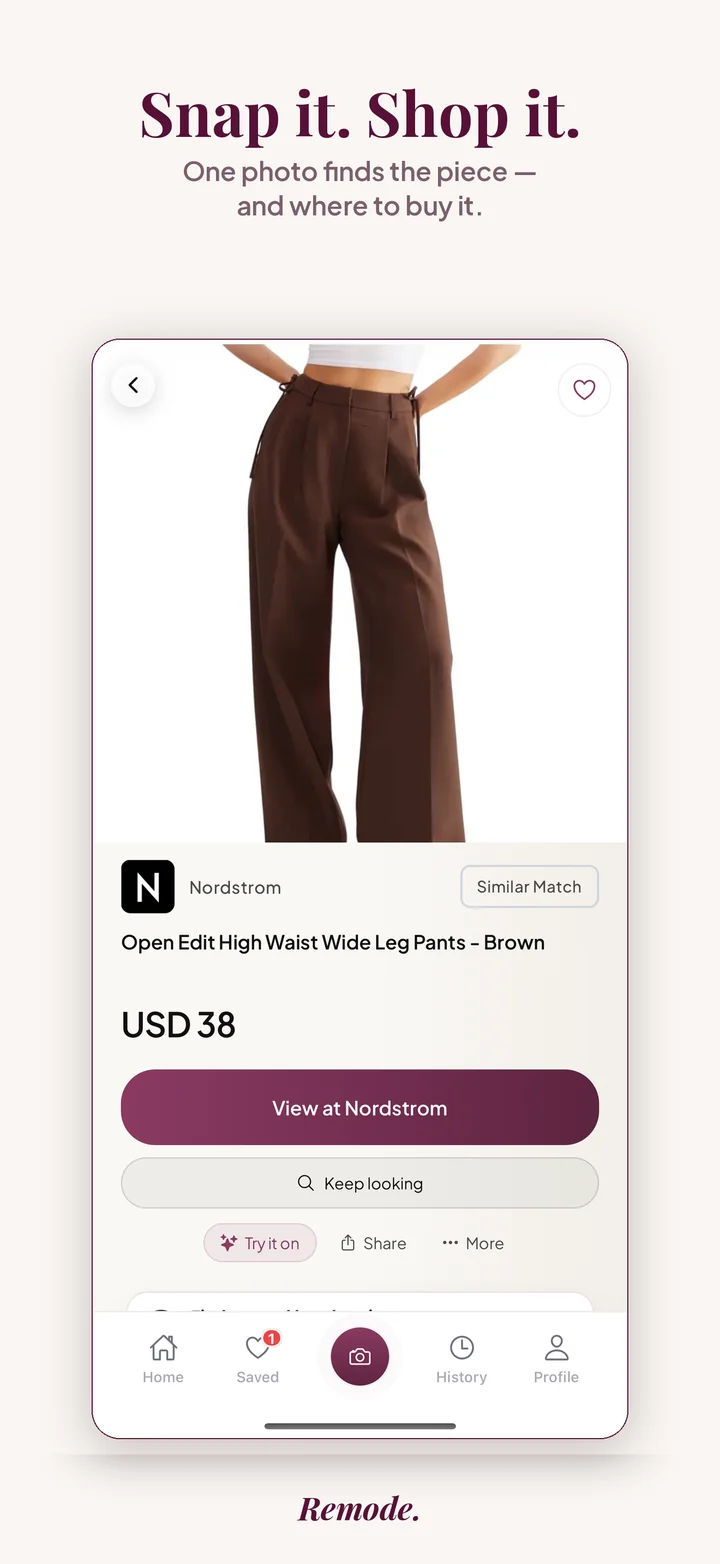
Actual app screens. This result is labeled Similar Match. Prices and availability can change.
Second-hand supply changes quickly. A seller’s title does not prove the model, authenticity, era or condition; unique vintage pieces may have no exact online match. Read the photos, measurements and seller terms before buying.
This page is the overview for searching second-hand clothing from a photo. It covers what is the same on every marketplace: how seller photos differ from studio shots, how to capture a usable image, how to read the exact, best visual match and similar labels when the listing is a used garment, and when the search is not going to work. The five marketplace guides go deeper on one platform each.
Depop is the guide for youth resale: streetwear, Y2K and curated vintage sold by individual sellers who shoot in bedrooms and describe pieces in tags rather than product names. eBay is the guide for breadth: past seasons, discontinued lines and international sellers, with the authenticity questions that come with luxury at scale. Etsy stands apart from the other four because it is mostly handmade and vintage rather than mainstream brands, so a match there is usually an interpretation of your photo. Mercari covers the US and Japan platforms and the very short listings sellers write there. Poshmark covers brand-name closets in the US, Canada and Australia.
Remode does not search one marketplace at a time. When you upload a photo, it looks for the piece across retailers and shows second-hand listings alongside new retail results whenever it finds them, each carrying its own match label. Read a marketplace guide after this one when you already know where the piece is likely to be listed. Read the sold-out guide when the retail page is gone and you have not yet decided between resale and a similar new piece.
A retail product image is shot under controlled light, on a mannequin or a model, from a fixed set of angles, and the same file is reused across many stores. A second-hand listing is a photo of a specific garment taken once by whoever owns it. The two look different even when the piece is identical. Colors shift under warm indoor bulbs. A wool coat on a wire hanger loses the shoulder line that defines it on a mannequin. A knit laid on a carpet picks up the carpet texture in the background. Fading, pilling and a stretched hem change the surface that a visual search reads.
The listing itself also behaves differently. There is a single unit, not a size run, so the piece can be gone between the moment Remode finds it and the moment you open the marketplace. Sellers write their own titles, which means brand names are misspelled, model names are missing, and the season or colorway is rarely stated. Condition is described in words that mean different things to different people. On luxury pieces, the seller's honesty is the only authentication until a platform check or your own inspection happens. A photo search cuts through the naming problem, but it cannot resolve condition or authenticity for you. That part you still do yourself.
Exact on a second-hand listing means hard evidence identifies the same product as your photo. It does not mean the same size, the same season or the same condition. Identical sweaters can differ in a relabeled size tag or a later production run with slightly different buttons, and the label cannot see either. Treat exact as the product identity being settled and everything else as still open.
Best visual match on a resale result is more common than at retail, because seller photos are noisier and Remode will not call something exact on a hunch. Open a best visual match with the reference next to it and look at fixed features: zipper pulls, pocket shape, the number of buttons, the logo position. If those agree, you are probably looking at the same piece photographed badly. If they disagree, it is a lookalike.
Similar is a deliberate alternative, not a failed match. On the second-hand path this is useful when the original was a one-off or a tiny run and a related piece in the same silhouette exists used at a fraction of the new price.
Before you open any store, compare the new retail price against the resale ask, the region of the seller against the store routes shown, and the stated condition against what the listing photo actually shows. A resale price close to retail with unclear condition is rarely worth the wait for shipping.
Remode does not maintain a full copy of any marketplace. It shows second-hand listings when it finds them for your piece, and there are common cases where it will not. A listing that went live moments ago may not surface yet. A listing that sold recently may still appear on the marketplace side as sold, but it is no longer available to you. Sellers who use a stock product image instead of a photo of the real garment can produce an exact-looking result that hides the condition entirely.
Garments from very small labels, custom tailoring, or a tiny production run often have no online listing anywhere, new or used. In that case Remode returns similar pieces and says so. Heavily edited source images, a garment covered by a coat, or a frame where the piece is mostly out of shot give Remode too little to work with. A seller in a region that does not ship to you is a result you can see but not buy; the store routes tell you that before you open the listing. When the second-hand path is empty, save the piece and let the background Hunt do the checking, or read the similar-clothes guide to decide on a stand-in.
No. Remode can help locate resale or visually similar listings, but a style alone does not prove an era. Ask for garment labels, materials, measurements and provenance when age matters.
Exact needs product proof, such as the same product code. Same model still leaves color, size and condition to check. Best visual match looks close but is not confirmed as the same product. Similar is an alternative. A lower price does not change the label.
No. These are item prices, before shipping and import fees. Check currency, size and stock at the shop too. A lower item price can cost more at checkout. Remode takes your country into account, but you still need to check delivery to your address.
Use model names or a readable tag as extra clues. Check clearly labeled alternatives if you are open to a different piece. In the iPhone app you can explicitly start a Hunt for a second-hand option; supply is not promised.
No. An match label is not an authenticity certificate or an inspection of condition. Read the seller’s photos and the marketplace’s stated authentication, return and protection terms.
More Remode guides for visual clothing search, screenshot search, and outfit shopping.