Search from the old image
Use the saved product photo, listing screenshot, or social post.
 Colette & CarrieFashion besties · by RemodeBack to chat
 Sold-out search
The original link being gone should not end the search. Remode helps you use the image to find similar styles and second-hand paths.
Search in your browser. The app is available for iPhone.
Start with a photo
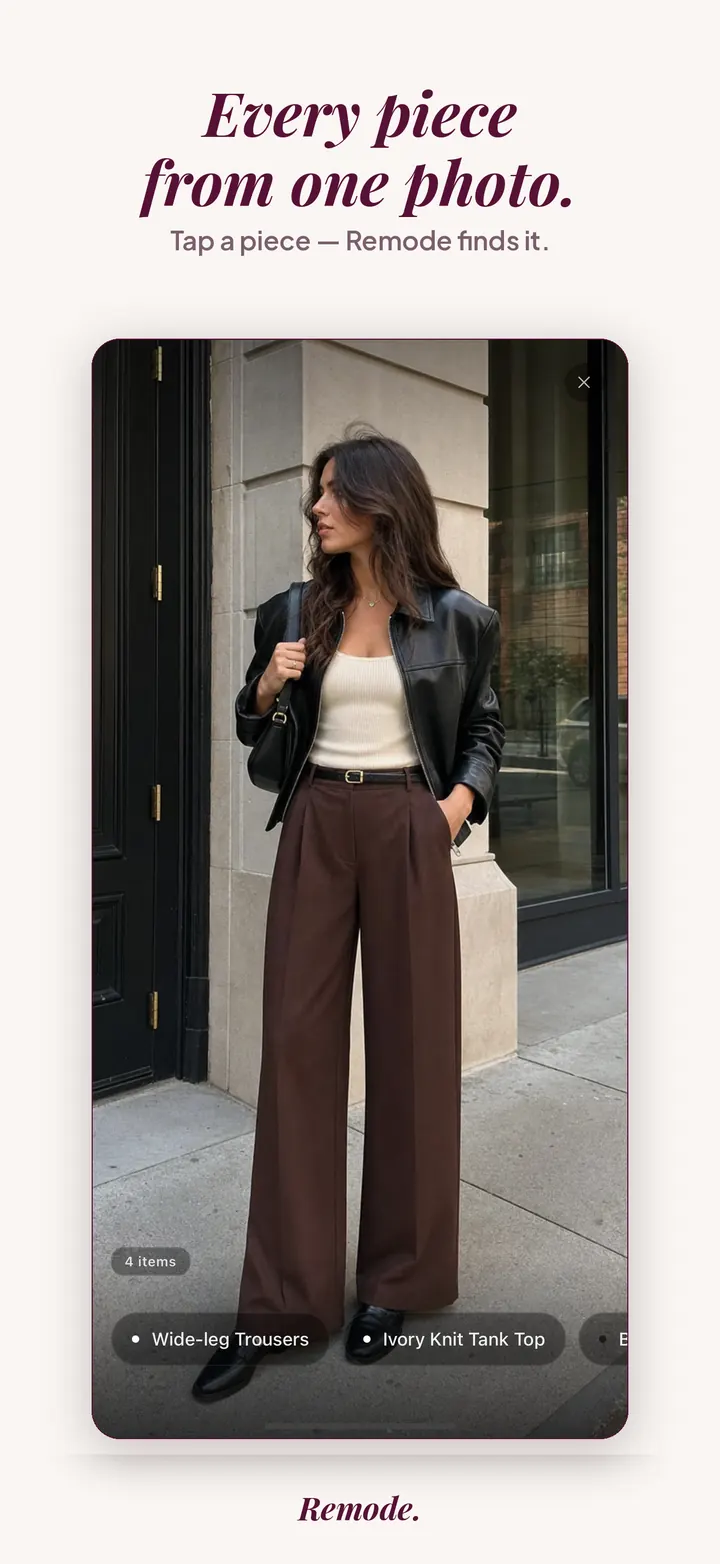
Find a similar piece
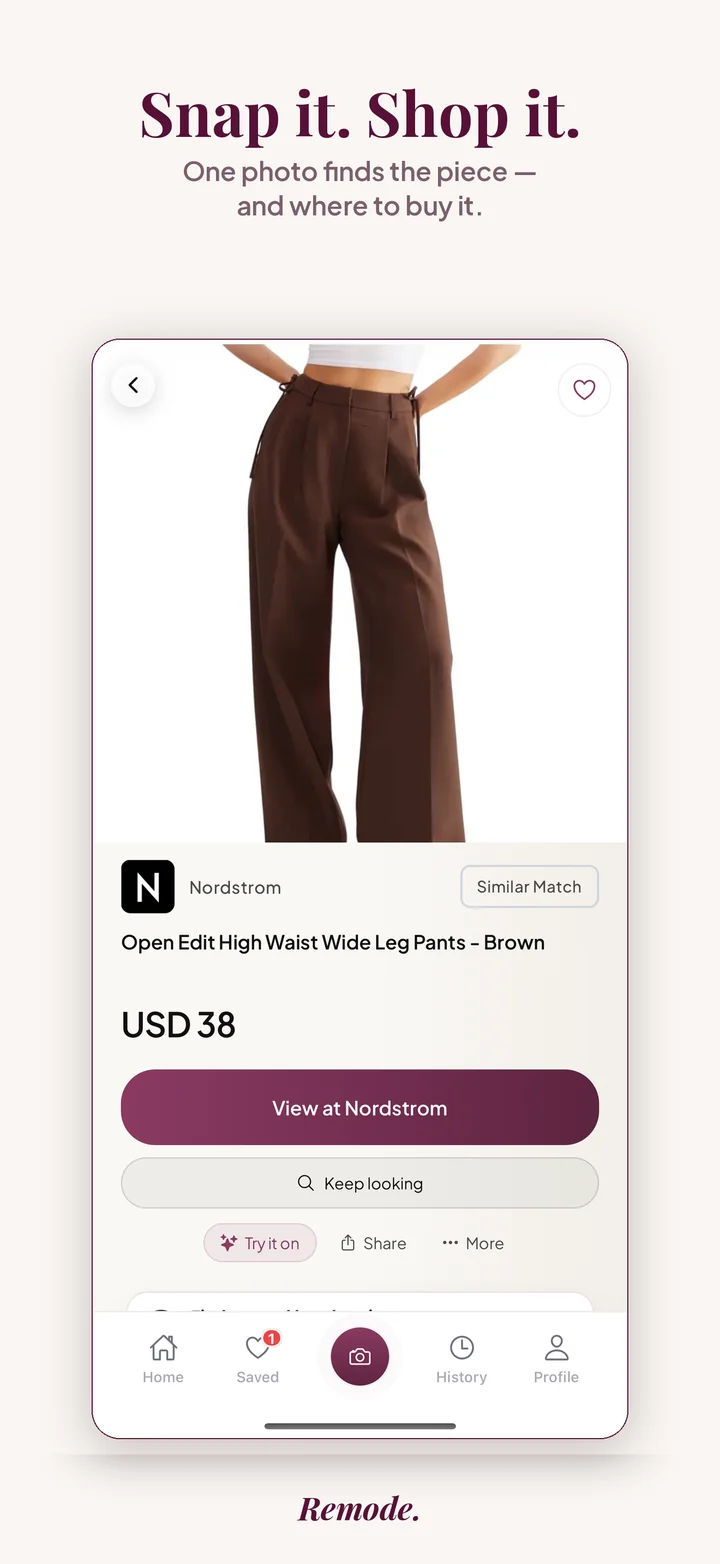
Actual app screens. This result is labeled Similar Match. Prices and availability can change.
Fashion items disappear quickly. A screenshot or product photo can still lead to resale listings, restocks, or close alternatives.
Use the saved product photo, listing screenshot, or social post.
Second-hand options can surface the original or a close replacement.
Similar styles help preserve the look even when the exact SKU is unavailable.
Remode is designed to make the pre-store decision clearer. These signals help you judge whether a result is worth opening.
Is it an exact match, a strong visual match, or a similar alternative?
Compare the listed price with the retailer, shipping, and current availability.
Check similar styles or second-hand when the original is expensive, sold out, or hard to source.
When an item sells out, the retailer often removes the page entirely, and with it the product name, article number, fabric composition and the only good photos. What remains is a saved screenshot or a social post, and the name you remember may be wrong.
Sold-out garments also come back under new names. A re-issue arrives with a fresh article number, a colorway is renamed for a new season, and marketplace sellers describe the piece in their own words, so a text search misses listings that plainly show the garment. Some items were never meant to return; capsule drops and collaborations are produced once. Knowing which case you are in changes what you should do next, and the image is the only input that works in each of them.
On a sold-out item the labels matter more than usual. Exact means Remode is confident the listing is the same garment, whether it comes from a retailer with remaining stock or from a resale seller. Best visual match signals that it may be the same model in a different color or version, and you should compare details before believing it. Similar is a different product with a related look; Remode labels it as such and does not present it as the item you lost.
Each result shows the retailer or marketplace name, the price, and which stores ship to you. What Remode does not know is whether the retailer plans a restock. Treat a store page marked out of stock as unknown rather than gone, and let the Hunt tell you if it changes.
Some pieces will not surface however good the image is. A collaboration produced once, a made-to-order garment, a small label that has closed its shop, or a piece altered by its previous owner may have no live listing anywhere, and Remode can only show what is listed. Heavily edited images, low-resolution reposts and photos of a screen also reduce what can be matched. When the result shows only similar items, use them for what they are: options with the same look that you can buy now. If a lookalike is the goal, the dupe finder guide covers how to judge one; if you would rather wait, price and restock alerts explains how a Hunt works.
It can search from the image and show similar styles or second-hand options when available.
Sometimes, especially through resale or another retailer. If not, similar matches are the fallback.
Yes. They are useful search inputs when a retailer page disappears.
Retailers rarely announce it, so the honest answer is that you cannot know in advance. Core styles that reappear every season have better odds than one-off drops. Saving the item in Remode means you hear about it if the piece appears again in a store or on a marketplace, instead of refreshing the page yourself.
Shortly after a sellout, listings sometimes cost more than retail did. Set the listing against the retail price you remember, read the condition notes and measurements, and check the seller's photos for labels and stitching. If the price feels inflated, keep the Hunt running; further listings tend to appear as the season moves on.
It shows the alternatives it could find and labels each one as similar or best visual match. It does not rename a lookalike as the original. You still see store names, prices and shipping regions, so you can decide whether a similar piece solves your need or whether you would rather wait.
More Remode guides for visual clothing search, screenshot search, and outfit shopping.
Upload the old image and let Remode search alternatives and resale options.