
Image-first search
Start with the visual evidence instead of guessing keywords for the garment.
 Colette & CarrieFashion besties · by RemodeBack to chat
 AI shopping assistant
Remode starts from the actual look: a photo, screenshot, TikTok frame, Pinterest pin, or product image. It turns that visual intent into shoppable pieces, store options, prices, resale paths, and try-on.
Search in your browser. The app is available for iPhone.
Start with a photo
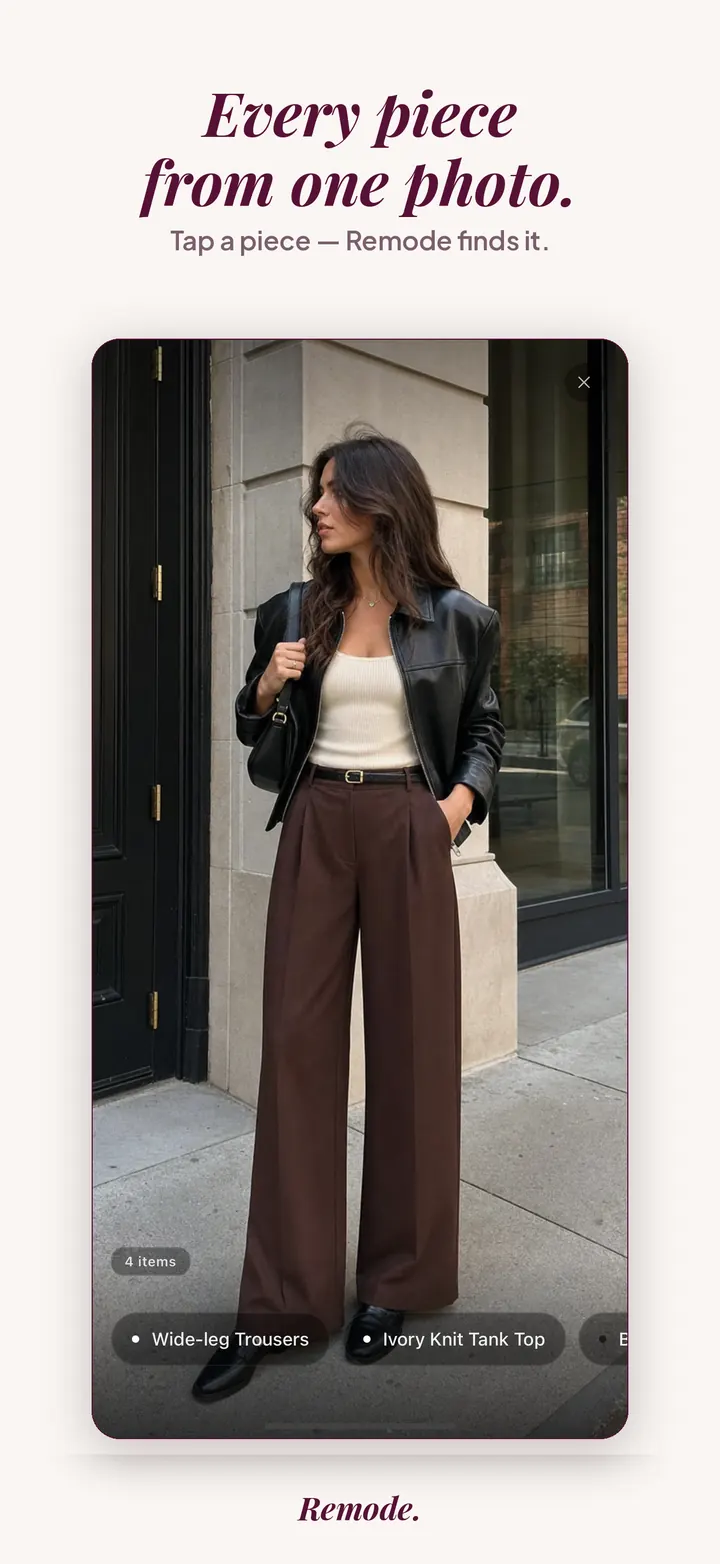
Find a similar piece
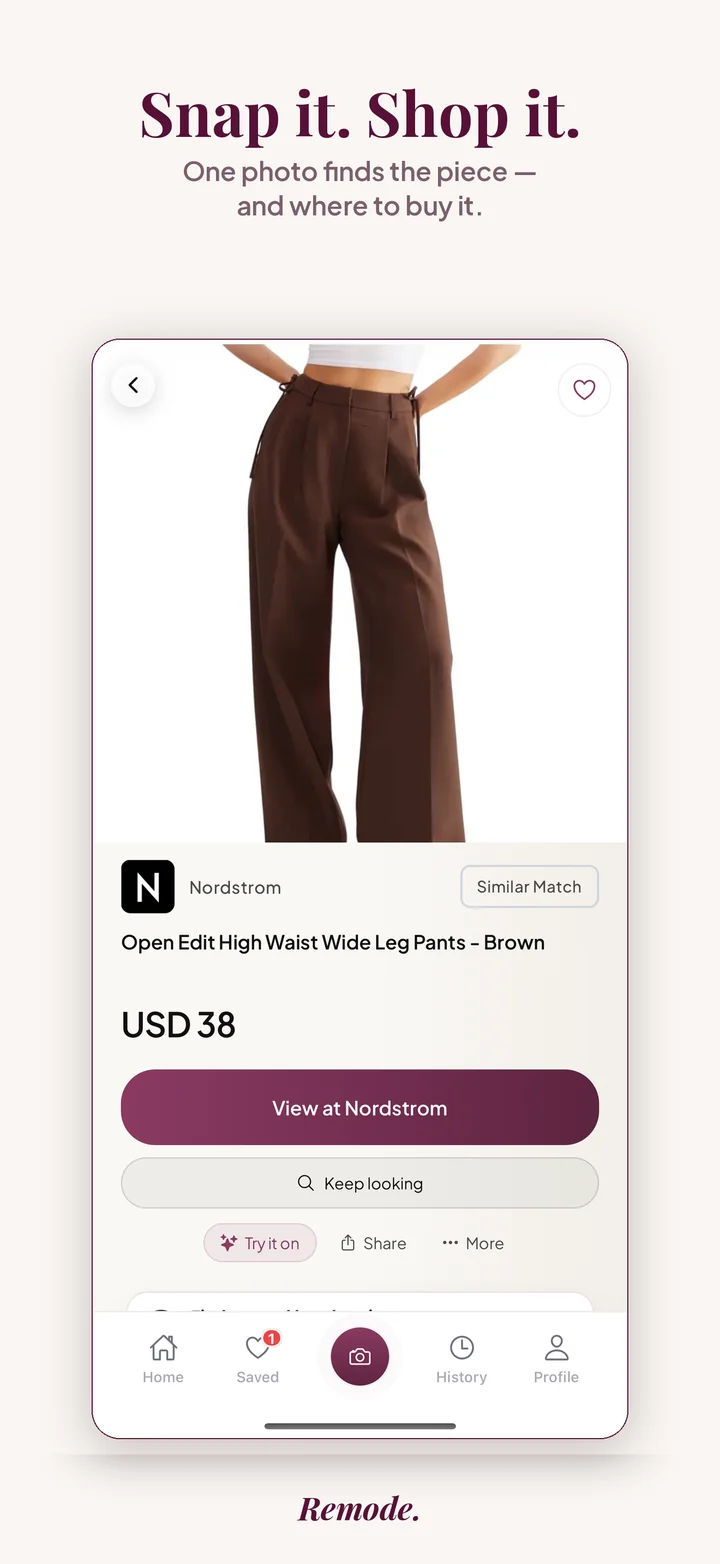
Actual app screens. This result is labeled Similar Match. Prices and availability can change.
The assistant is valuable when normal search words fail: you do not know the brand, the item is in a video, or the post has no product tag.
Start with the visual evidence instead of guessing keywords for the garment.
Use retailer, price, match quality, and second-hand signals before opening a store.
Save the result in Remode so the search can become a Hunt, try-on, or a later decision.
Remode is strongest when the user already has visual fashion intent.
Remode is available in ChatGPT and to compatible AI assistants over MCP at mcp.remode.app — assistants can call the Remode tool directly.
Most shopping help online is paid for by the seller. A store's recommendation widget, a marketplace's sponsored row, a creator's affiliate link under a video: each of them earns when you buy a particular thing, so each has a reason to nudge you toward it. A buyer-side assistant is built the other way around. Its job is to answer your question, which in fashion is usually a short list: is this the piece, where is it cheaper, and should I buy it now.
Remode is designed as that kind of assistant. It reads the image you already have, identifies each fashion piece in it, and lays out stores, prices, and second-hand listings without letting a retailer pay for position. Ranking is never influenced by commercial terms, and the affiliate links some retailers provide do not move a result up the list. That separation matters in fashion specifically, because the same shirt can sit in many stores at different prices, and the store paying a commission is not necessarily the one that ships to you or has your size. The wider approach is explained on the reverse image search for clothes guide.
The label is the first thing to read, because it tells you what kind of question the rest of the card can answer. With an exact result, the store comparison is about the same product, so price, shipping region, and condition are the whole decision. With a best visual match, Remode is telling you it found a close listing but is not confident it is the same product; treat the price as a reference point and confirm the details on the product page yourself. With a similar result you are comparing alternatives, and the question shifts from price hunting to whether this version does the job. Second-hand listings need one extra check, the seller's condition notes and return terms. An assistant that pretends every result is exact would save you a step and cost you a return; Remode's stance is the reverse. If it is not sure, it says so.
Remode answers questions that start from a visual. It does not write outfit advice, rate a look, or tell you what is trending; if your question is styling rather than sourcing, it will have little to say. It also cannot surface products that have no online listing: a custom piece, a vintage one-off, or a small label that sells through direct messages will come back labeled similar, not exact. Remode does not sell anything itself, so checkout, returns, and sizing belong to the retailer or marketplace where you buy. The app is iOS only today; Android users can join a waitlist, and anyone can try 3 free photo searches in a browser without an account. When you need to confirm a result is the same product, the exact match guide covers what to check.
It is a shopping tool that starts from what you saw, such as a photo or screenshot, then helps identify pieces and compare buying options.
Yes. Remode is built for screenshots and saved images from Instagram, TikTok, Pinterest, retailer pages, and your camera roll.
You can compare retailers and prices, check second-hand options, save the item, start a Hunt for price changes, and use try-on when available.
A seller-side tool often does, because it earns when you buy from a specific store. Remode's ranking is never influenced by commercial terms. Some links are affiliate links, and as an Amazon Associate Remode earns from qualifying purchases, but that does not change the order or the label of any result.
Remode is available in ChatGPT. Separately, AI assistants that support MCP can already call the Remode tool find_fashion_items, pass it an image or a supported link, and receive the same exact, best visual match, and similar labels the app shows.
No. Looking is free until Remode finds you something real, and hunting does not count as a search. Remode checks the saved piece in the background for price drops, restocks, and second-hand listings and alerts you when something changes, so waiting becomes a decision you can act on instead of a tab you forget.